Japanese Pitch Accent
Install Japanese Pitch Accent
Pitch accent shows the high and low pitch patterns of Japanese words. Mastering these patterns can help you sound more natural when speaking Japanese. It is optional, however, and is not installed during the initial dictionary setup. If you’d like to see pitch accent information during your immersion, follow the instructions below:
- Open Settings.
- Under Dictionary & Language, turn on Japanese pitch accent.
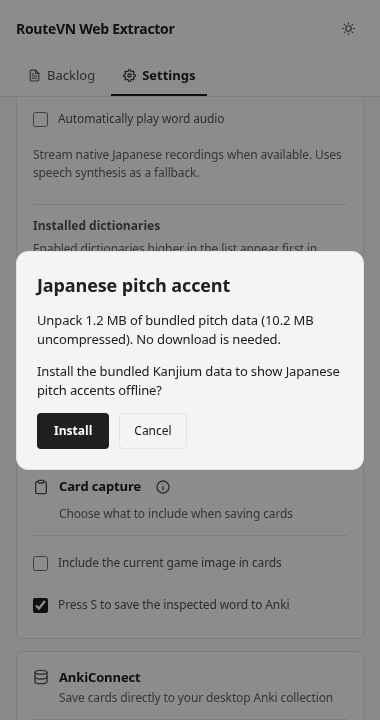
- In the Japanese pitch accent dialog, select Install.
- Wait for the message Japanese pitch accent is enabled. The dialog will close once installation succeeds.
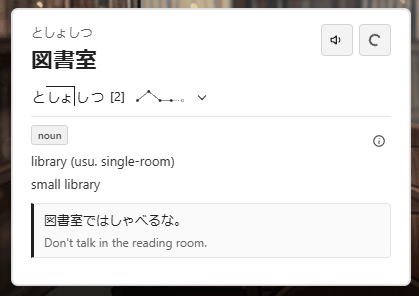
- Open a game on novelgame.jp and look up a word. Pitch information will appear when the installed data contains a matching word and reading.
Troubleshooting
If no pitch accent information appears, make sure Japanese pitch accent is turned on in the Settings and that a Japanese definition dictionary is enabled.
Also, keep in mind that not every word has a matching pitch accent record.