Changelog
1.16.1
Changes
- Improved SFX sound cards and the channel picker.
- Improved handling of damaged assets and stalled preview loading.
- Projects with corrupt fonts now load instead of failing.
- Fixed the version prefill in the macOS export dialog.
- Updated the app to use the term "ruby text" consistently.
Windows
⚠ Breaking change: the exported Windows player now uses a new application identifier. Saves from previously exported Windows builds will not work with newly exported ones.
- Fixed the preview close button position below the title bar.
Android
- Added recoverable local project backups.
- Added a Gallery and File picker choice for uploads.
- Fixed canvas rendering and layout action visibility.
iOS and iPad
- Fixed audio in fullscreen previews.
- Fixed the fullscreen transform editor respecting the iPad safe area.
1.15.1
Changes
- Added an option to set the default transform for dialogue avatars.
- Fixed dialogue text reveal in NVL mode.
- Fixed several text editor input issues across devices.
- Improved dialogue preview fields in the layout editor.
- Improved the layouts of several actions in the scene editor.
- Fixed an issue with removing character shortcuts on the Characters page.
- Fixed an issue with duplicate tags.
1.13.1
This version updates the default theme, adds camera controls for animation, and improves the user experience.
Changes
- Default Theme: Changed default theme to be lower contrast.
- Animation: Added camera controls.
- Bug Fixes and UX: Fixed bugs and made other user experience improvements.
Videos
1.12.2
This version fixes BGM not persisting across sections.
Changes
- BGM: Fixed BGM not persisting across sections. If BGM still does not persist in your project, delete the BGM action and create it again.
1.12.1
This version adds imports from the RouteVN Asset Store, Audio Effects, image adjustments, and Android interface improvements.
Changes
- Asset Store: Added the ability to import resources from the RouteVN Asset Store.
- Audio Effects: Added a new resource type for transition effects on BGM, sound effects, and voice.
- Image Adjustments: Added controls for adjusting images.
- Android: Made UI/UX adjustments for the Android version.
Videos
1.11.1
This version fixes an issue with character and background animations in the Scene Editor.
Changes
- Scene Editor: Fixed a bug affecting character and background animations.
1.11.0
This version adds desktop exports, redesigned editors, dedicated audio channels, computed variables, and localized interfaces. It also brings UI/UX improvements across the Scene Editor, Layout Editor, and Project page.
Changes
- [BETA] Export: Added export to a Windows executable.
- [BETA] Export: Added export to a macOS executable.
- [BETA] Localization: Added Japanese and Chinese interface translations.
- Audio: Added channel support for sounds, with dedicated channels for BGM, Voice, and SFX.
- Variables: Added support for computed variables.
- Scene Editor: Added support for rotation.
- Scene Editor: Improved the UI/UX of line actions.
- Animation Editor: Redesigned the Animation Editor page.
- Layout Editor: Improved the UI/UX of the Layout Editor page.
- Project Page: Added a resources overview.
- Particles Editor: Fixed bugs in the Particles Editor.
- General: Included additional bug fixes and stability improvements.
1.10.2
This version improves font handling, conditional actions, element selection, and the Layout Editor. It also adds platform-specific export settings, scene screenshots, overlay scrollbars, and important stability fixes.
Changes
- [BREAKING] Scene Editor: Updated Conditional actions to move automatically to the next line when none of their section transition conditions evaluate as true.
- Fonts: Dropped support for uploading fonts in WOFF format. WOFF2 remains supported, and previously uploaded WOFF files will continue to work.
- Fonts: Updated text styles to show only the font weights supported by the selected font.
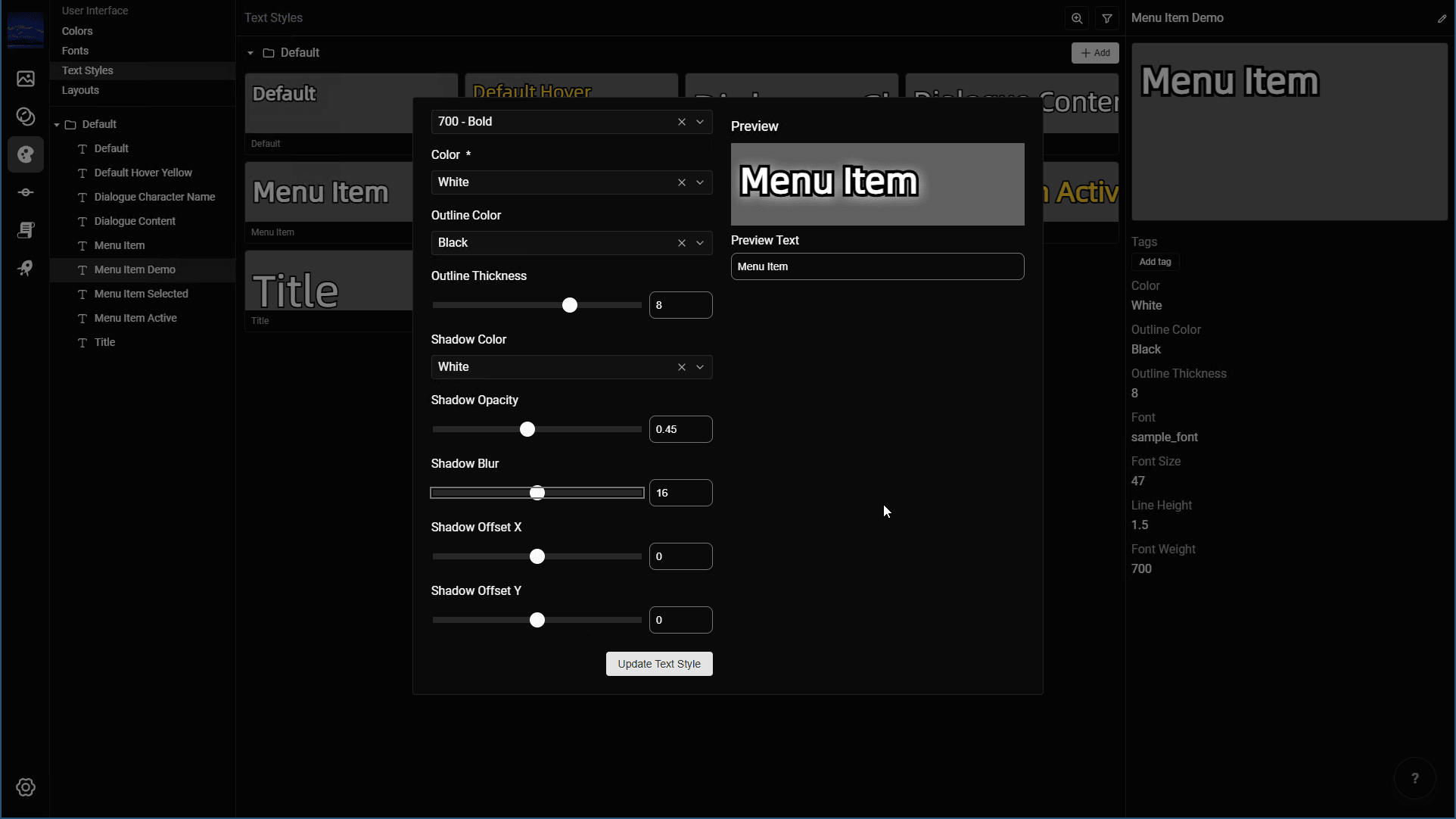
- Text Styles: Added shadow support.
- New Projects: Added better default fonts based on the project language, including an extended Latin font and dedicated fonts for CJK languages.
- Scene Editor: Added
One Of,Greater Than,Greater Than or Equal,Less Than, andLess Than or Equalevaluations to Conditional actions. - Scene Editor: Improved the description for dialogue speaker sprites and made them persist by default.
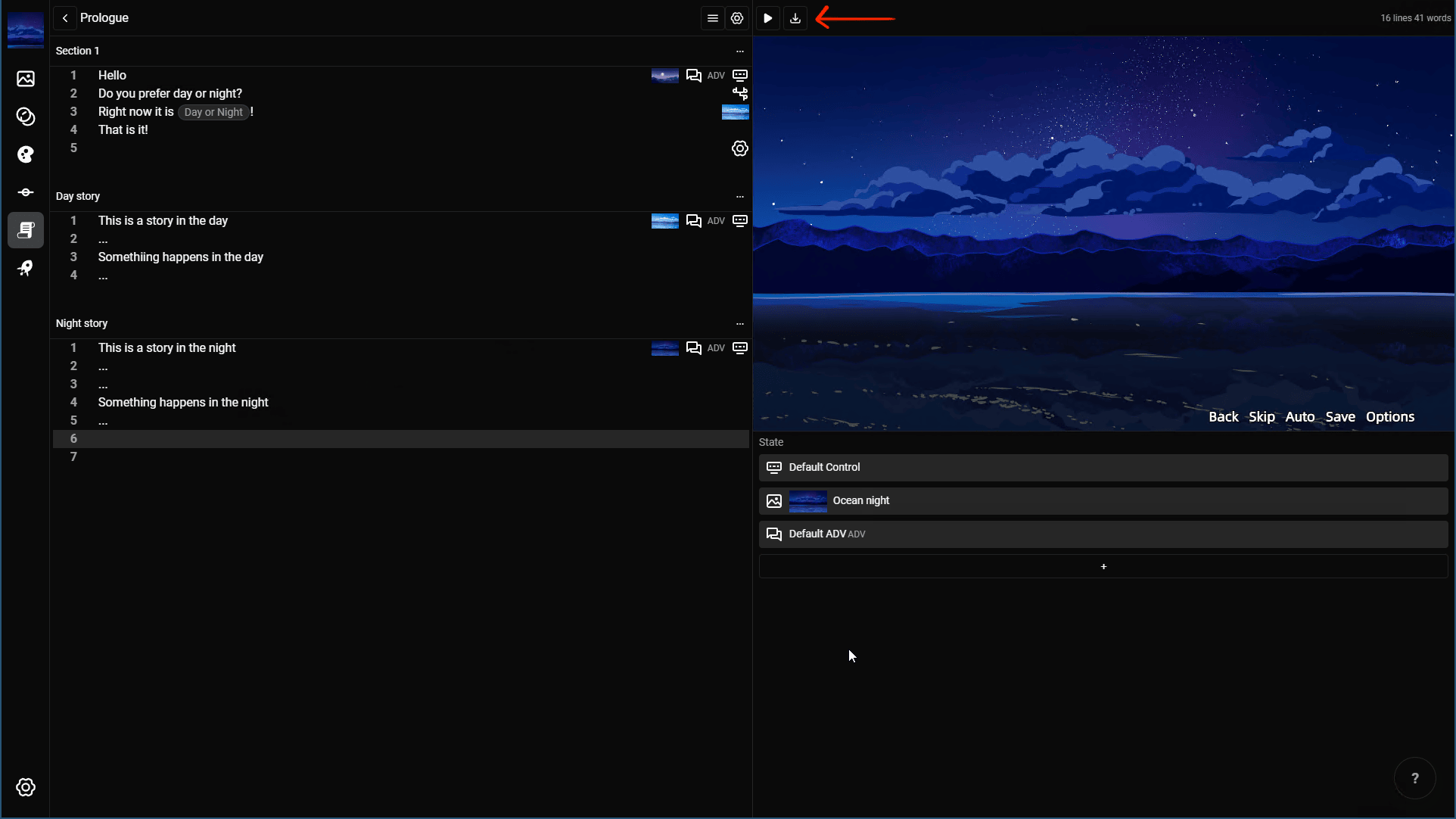
- Scene Editor: Added a button to download screenshots.
- Layout Editor: Added element selection from the preview. Hover over and click an element to select it, or double-click a child of the currently selected container.
- Layout Editor: Added support for the
Loop Endreveal-sound interruption option. - Layout Editor: Added customization for the save and load slot date format.
- Platform Details: Added a page for platform-specific export settings. It currently supports web exports, with more export platforms planned.
- General: Improved scrollbar presentation with overlay scrollbars.
- General: Added more than a dozen minor interface improvements, especially in the Layout Editor.
- General: Fixed a critical bug that could crash a project during refresh while a resource was still uploading.
1.9.4
This version adds project language settings, language-aware text counts, and spritesheet support for backgrounds and visuals. It also improves full-screen and page navigation behavior and fixes scene and layout editor issues.
Changes
- Added a language option during project creation. Existing projects default to English.
- Added character or word counts to the scene editor based on the project language.
- Updated the Windows title bar so it is hidden in full-screen mode.
- Fixed a layout editor issue where font weight was not respected.
- Fixed incorrect line selection behavior in the scene editor.
- Added spritesheet support for backgrounds and visuals in the scene editor.
- Updated keyboard shortcuts for page navigation.
1.8.2
This version fixes spritesheet animation transitions and includes minor UI improvements.
Changes
- Fixed animation transitions with spritesheets.
- Improved minor user interface details.
1.8.1
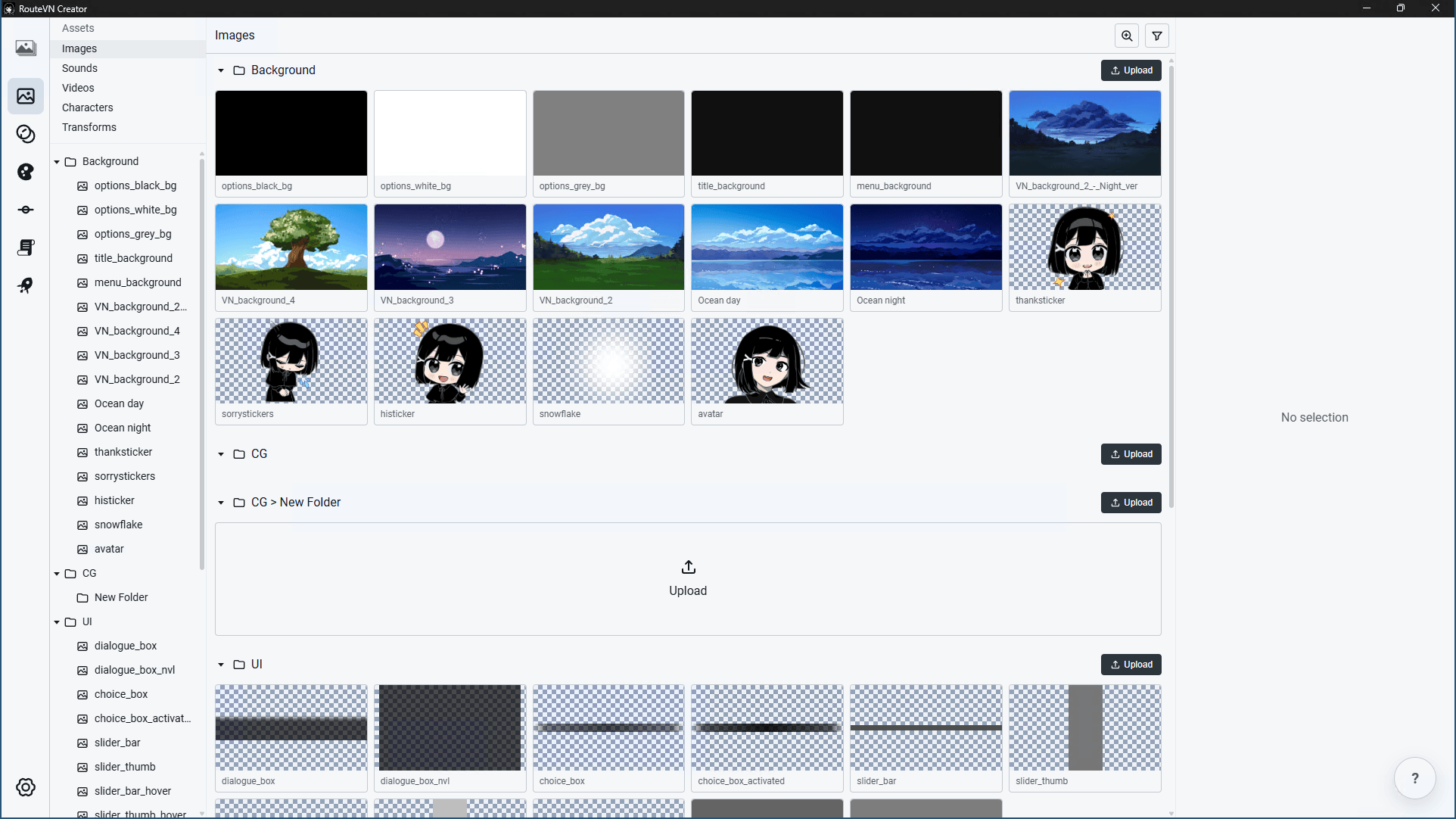
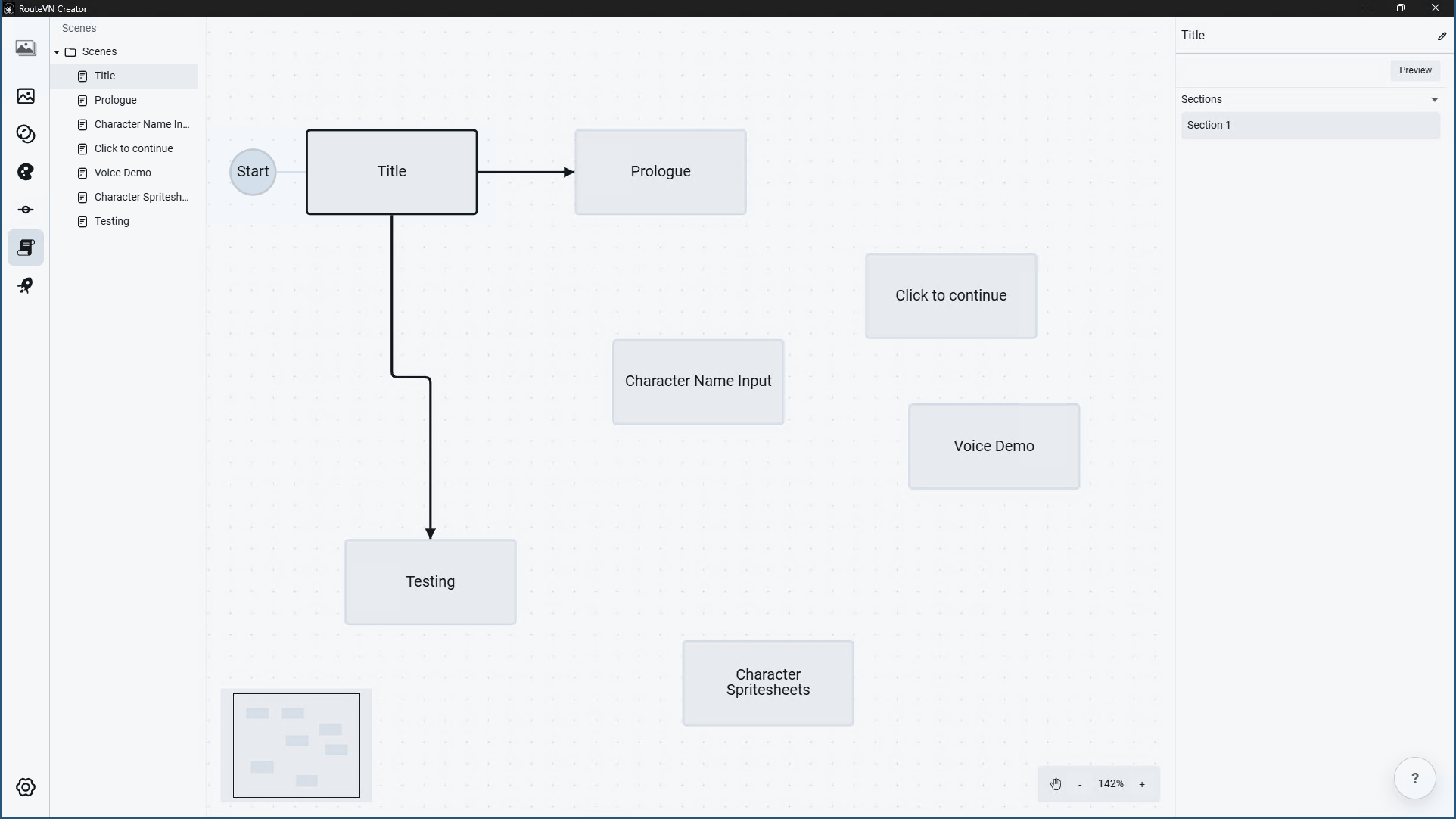
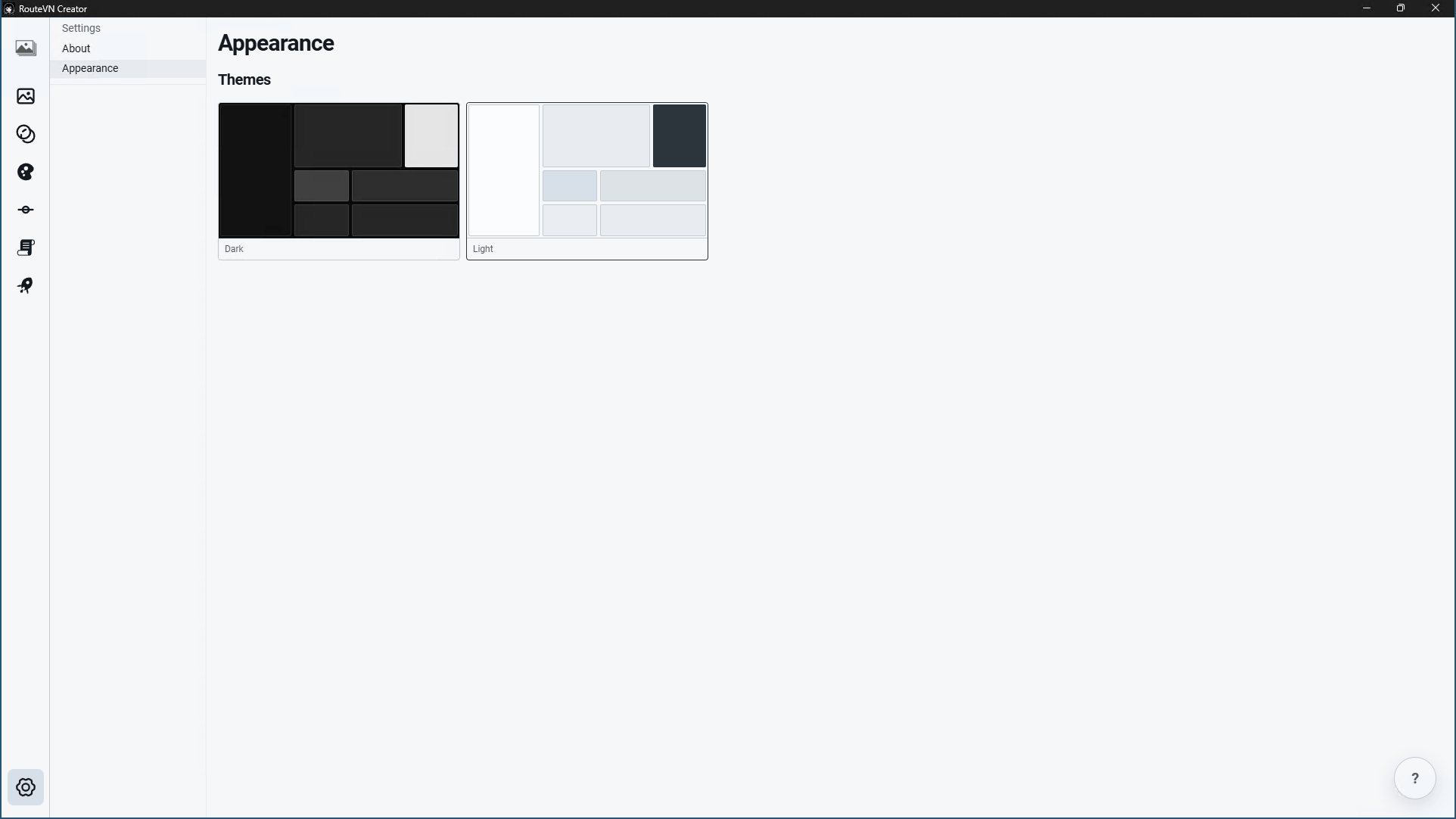
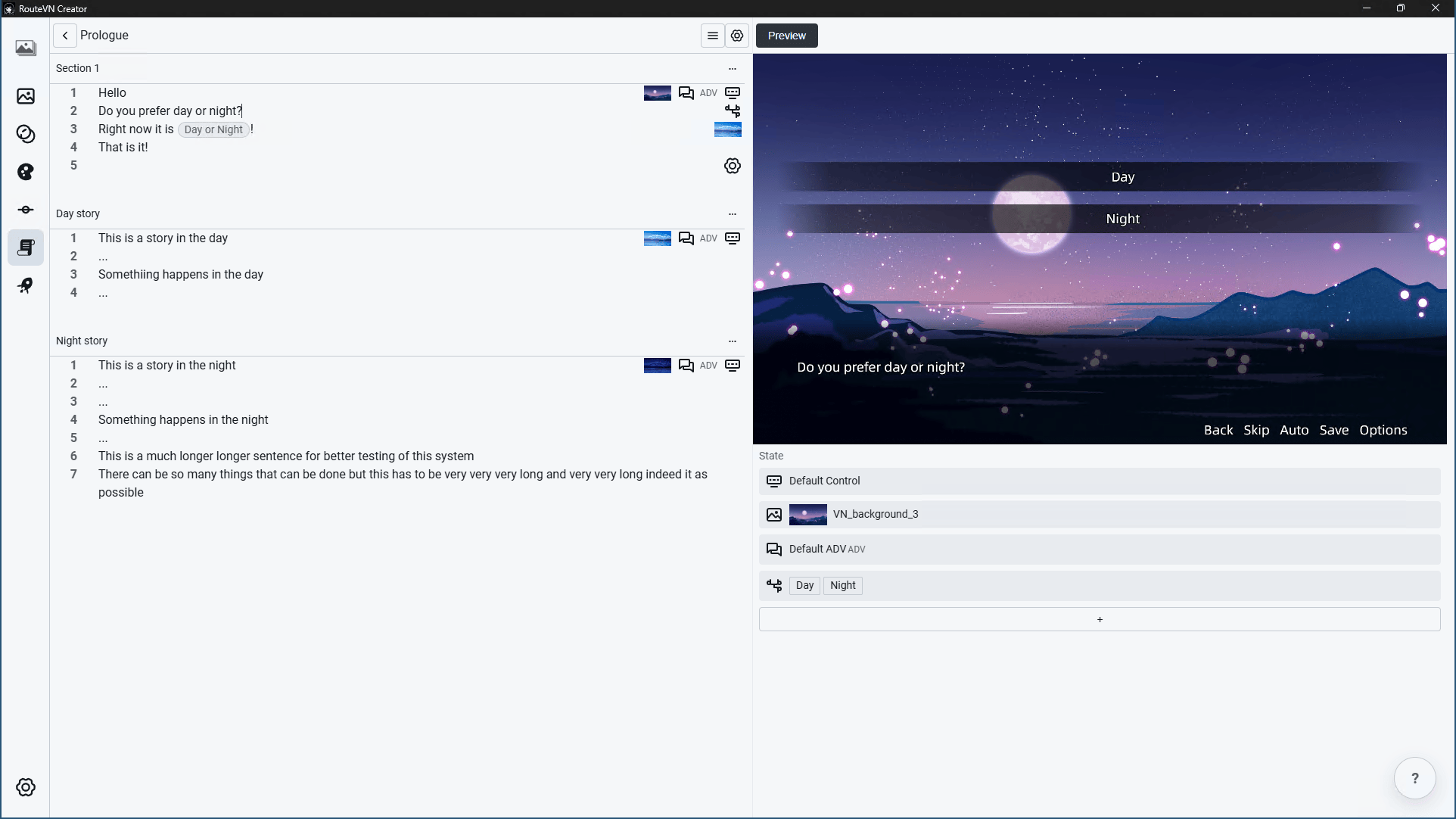
This version adds the first Linux release, introduces light theme support, and includes UI improvements across RouteVN Creator.
Changes
- Added Linux support for the first time.
- Added support for light theme.
- Fixed a bug on the Variables page.
- Improved the user interface across RouteVN Creator.
Linux version
Light theme
1.7.1
This version adds sound playback while text is revealing, fixes text and font display issues, and improves page load performance.
Changes
- Added support for playing sound while text is revealing.
- Improved the sound selector in the layout editor.
- Fixed an issue where some fonts displayed incorrectly.
- Fixed a bug in text input logic.
- Fixed a macOS scene editor bug related to line navigation.
- Fixed scrollbar color styling.
- Improved page load performance.
1.6.4
This version adds voice actions, more layout sound support, spritesheet support for character group sprites, and dialogue text speed controls.
Changes
- Fixed a critical bug when using hover and click sounds in layouts.
- Added hover and click sound support for image and container elements.
- Added
revealingandcompleteclick-to-continue indicator support for revealing text. - Added spritesheet support for character group sprites.
- Added the Voice action.
- Added a dialogue text speed override option.
Videos
1.5.2
This version fixes scene preview keyboard handling, older project compatibility, and scene editor paste handling.
Changes
- Fixed full-screen scene preview controls so pressing Enter works in the preview instead of adding a new line in the editor.
- Improved keyboard shortcut compatibility for the scene preview on Windows and macOS.
- Fixed compatibility for older or imported projects that include previous section delete history.
- Fixed a scene editor issue where the sections list could scroll incorrectly.
- Improved error messages when the app cannot open an external link.
- Fixed scene editor paste handling.
1.5.1
Changes
- Fixed a bug that prevented editing variables.
- Added a transparent grid background to thumbnails and previews on the Images page.
- Added a scene editor option to change the editor display font size.
1.5.0
Changes
- Replaced section tabs with a single scrollable page and sticky header.
- Added text input layout type and action so players can insert text during a scene.
- Added conditional actions to jump to different sections based on specific variable values.
- Expanded choices with richer branching options.
- Added layout editor improvements.
- Added support for customizing transforms directly from the scene editor.
- Fixed a bug when creating controls.
- Other improvements and bug fixes.
Videos
1.4.2
This version updates the app icon, add blur support, improved visuals scene controls, and more.
New app icon

Changes
- Supports blur of background and screen
- Added richer visual controls for scene actions. Opacity and blur can now be applied to backgrounds, characters, screen effects, and added visual items.
- Added visual layers. Layers allows more granular control on the z index of the visual assets
- Visual support picker with separate Images, Videos, and Layouts tabs.
- Add support for duplicate and moving of sections to other scenes
- Expanded animation editing with more tween properties, including rotation, translate X/Y, and blur X/Y.
- Image and character sprite previews now support previous and next navigation from the preview overlay.
- Improved scene editor page loading and 1st render experience
1.3.4
This version adds screen transition animation support and layout editor scroll events. It also fixes sound volume changes and improves animation previews.
Changes
- Add screen transition animation support
- Add support for scroll up and down events in the layout editor
- Fix sound volume changes not working
- Simplify the character and background animation selector
- Improve animation list and animation editor page previews
- Change layout item ordering to match other design apps, so the top item appears in front
1.2.2
This version adds text styling and project data features, with navigation improvements for resources.
Changes
- Add custom text styles for line content
- Add furigana text support
- Improve resource page navigation
- Add variables feature
1.2.3
This version fixes a scroll issue with the Dialogue action.
Changes
- Fix a scroll issue with the Dialogue action
1.1.1
This version brings several major features, many bug fixes and performance enhancements.
Changes
- Add Particles page for creating effects such as snow and rain
- Add Spritesheets page for spritesheet animations
- Add multipart character sprite group support for character expressions and layered sprites
- Add dialogue character conditions in Layout Editor
- Add release web server support for testing exported web builds locally
- Optimize export bundle packaging and runtime loading for smaller exported builds and faster startup
- Improve Layout Editor interaction performance
- Improve file explorer and preview keyboard navigation
- Add tag filters that match any selected tag
- Add help links
- Many more bug fixes
1.0.3
Changes
Read the full release blog post here.
- Version
1.0.3includes a breaking change for projects created withv0.17.0and below. Older projects need to be migrated manually; contact support if you need help upgrading them - Improve overall polish, design consistency, and usability across the app
- Redesign the Animation Editor page
- Improve stability and fix bugs across common workflows
- Improve performance when working with large images and videos
- Layout Editor now ships with a fully functioning default UI, including Dialogue ADV, Dialogue NVL, title page, menu page, save/load pages, and options page. Users can keep the default template, replace the UI assets, or customize layouts and events further without coding
0.17.0
Changes
- Fix bundle export for handling large assets
- Improve exported bundle start page
- Action to add visuals
0.15.0
Changes
- Resources pages: Add video tab
- Scene Editor page: Support video as background
0.14.0
Changes
- Resources pages: remove unnecessary tooltip
- Scenes editor: make dialogue character avatar bigger
- Scenes editor: improve validation on various forms
- Scenes editor: remove unnecessary image drag
- Improve folder structure for new projects
- Fix update popup when already on latest version
- Fix versions page and export
0.13.0
Changes
- layout editor: fix layout editor cancel button not working when choosing image
- colors page: make color name required
- bundle export: fix so it runs properly
- scene editor: several fixes on the text editor behavior
- scene editor: mute button to mute bgm and sfx
- scene editor: fix custom font display in preview
- scene editor: fix effects related to animations with background
- scene editor: preview will now start from selected line
- improve initial application loading time
0.12.0
Changes
- Fix dialogue box sometimes not displaying in preview
- Prevent used resources to be deleted
- Misc fixes in scene editor text editor
0.11.0
Changes
- Fix issue with scene editor cursor position
- Improve preview icons in scene editor
- Fix issue with removing characters in scene editor
0.10.0
Changes
- Fix animation preview not playing
- Fix issue with adding multiple instances of same character
- Fix preview not centered on screen
- Fix issue related to character name in dialogue
0.7.0
Changes
- Add choice type in layout editor
- UX Improvements in layout editor for dialogue content
- Add choice option in scene editor
0.6.0
Changes
- Fix scene editor carete jumping
- Fix dialogue layer z index
0.5.0
Changes
- Added page for tween animations
- Enable to add animation transitions to backgrounds
- Layout fixes in layout editor
- Rename audio to sound
0.4.0
Initial Release
The first public release of RouteVN Creator.
Features
- Create and manage projects
- Manage assets
- Images
- Sounds
- Characters and character sprites
- Transforms
- Manage UI
- Colors
- Fonts
- Typography
- Layout
- Scene Map
- Scene Editor
- Versions and export web version
Notes
The application is still under heavy development and with many bugs. The best way to keep in touch with us is via Discord.