Reset Story At Section
Reset Story At Section moves the reader to a section and starts the story fresh. Use it to go back to the title screen. Use it to start again from the beginning, from the title screen.
Section Transition keeps the story state, but Reset Story At Section starts it fresh.
Add it to a line
-
Open a scene in the scene editor. See Scene Editor.
-
Tap the line where the story should reset.
-
Open the add action menu.
- Phone or tablet: Tap the + button in the bottom bar.
- Desktop: Click the + button under Presentation state.
The Actions menu opens.
-
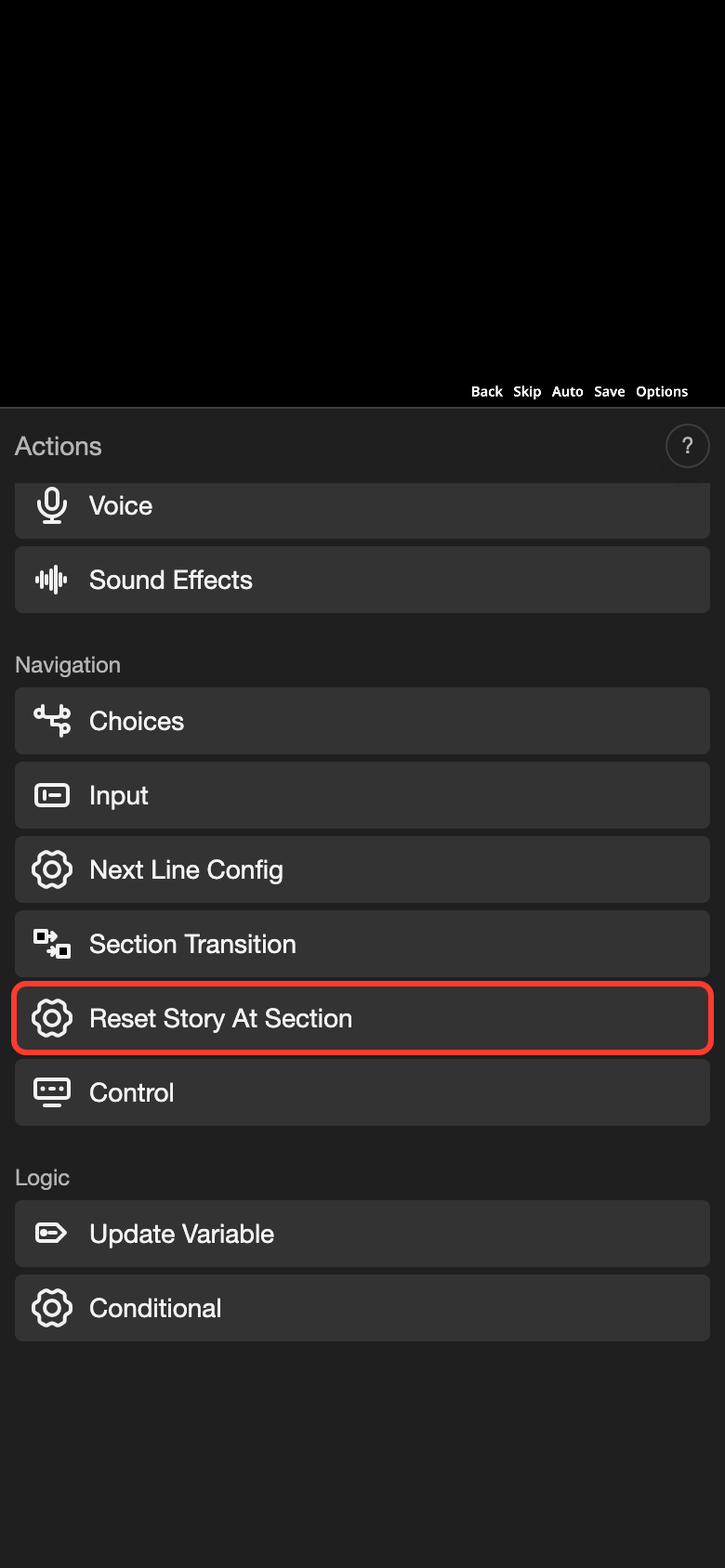
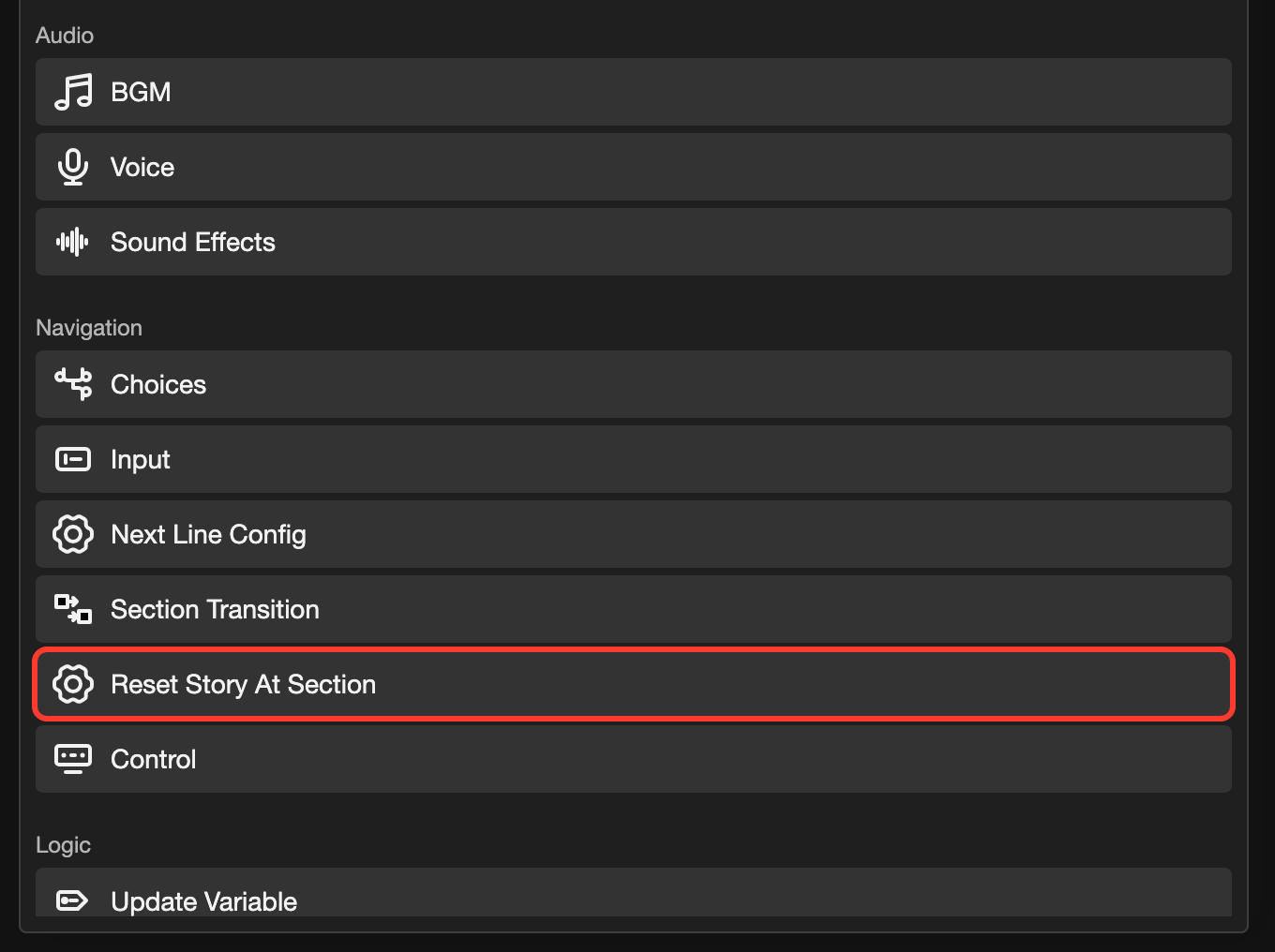
Under Navigation, tap Reset Story At Section.
The form opens.
-
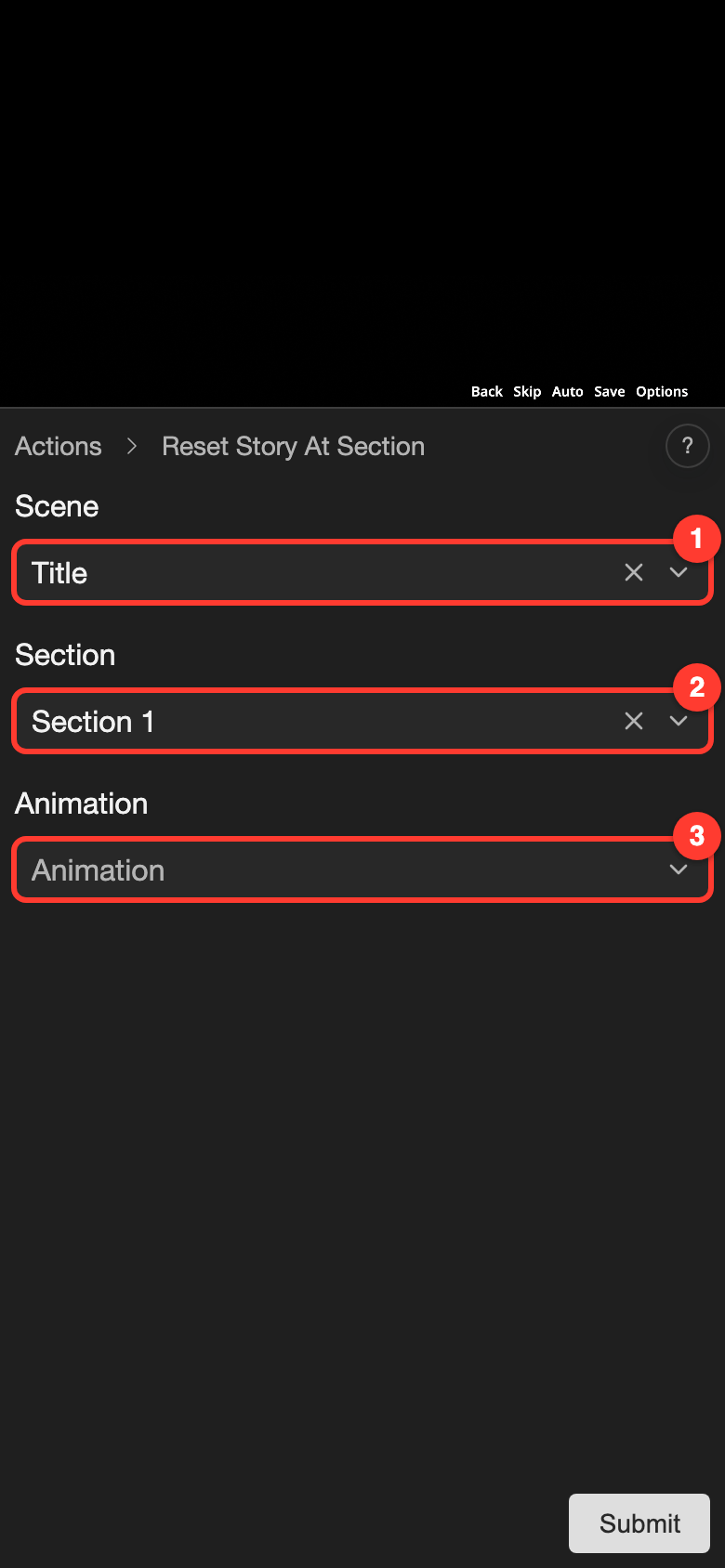
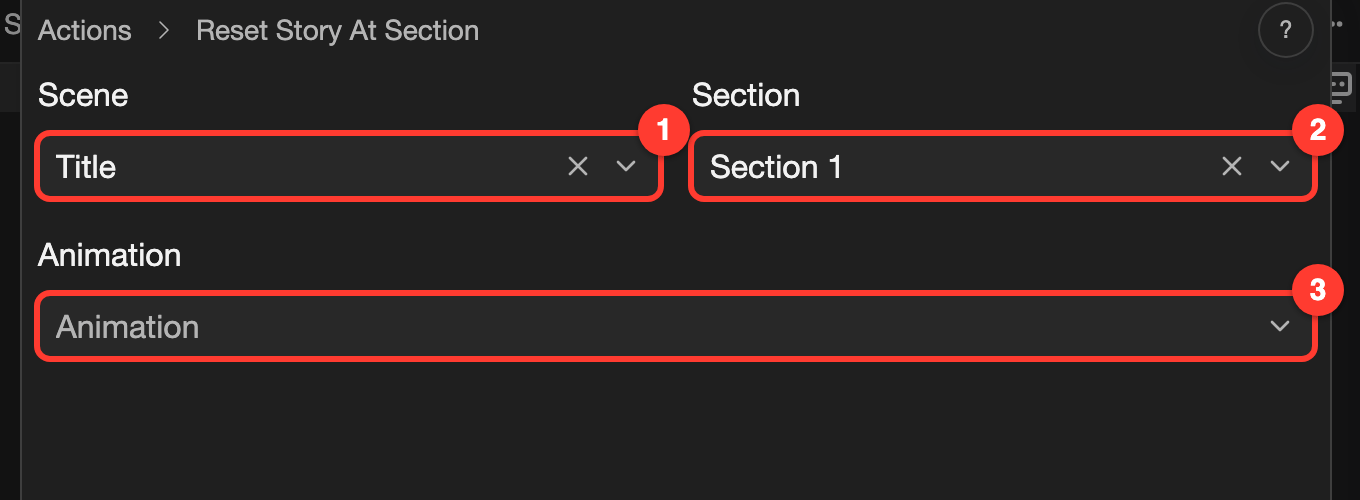
In the Scene field, choose the scene that has the target section.
-
In the Section field, choose the section to go to.
-
Tap Submit.
The action is now on the line. When the reader reaches this line, the story goes to the first line of that section.
The form has these fields. The numbers match the screenshot.
| Mark | Field | What it does |
|---|---|---|
| 1 | Scene | The scene that has the target section. It starts as the scene you are in. |
| 2 | Section | The section to go to. The story starts at its first line. |
| 3 | Animation | Optional. A transition animation, such as Crossfade, that plays as the story moves. After you choose one, Playback Speed and Continuity also show. See Animations. |
What is reset and what is kept
When the story reaches this action, it clears the story state first. Then it goes to the section.
| Part | After the reset |
|---|---|
| Variables with the Context scope | Go back to their default values. |
| Variables with the Device or Account scope | Keep their values. |
| Save slots | Stay as they are. |
| Dialogue history | Starts again from the first line of the section. |
| Going back (Rollback) | The reader cannot go back to lines before the reset. |
| Auto mode and skip mode | Turn off. |
See Variables to learn about scopes.
Good to know
- A line can have only one action that moves the story. Adding Reset Story At Section replaces Section Transition on the same line.
- A button in a layout can also use this action when the reader clicks it. For example, a Start button on a title screen can start the visual novel from the beginning. See Layouts.